


Introduction
To ensure the best security for your account, services and data, enabling two-factor authentication is a very good security measure. It consists of adding a code that you may get by email, my SMS (text message) or using a time-based token application. This is added on top of your username and password so that even if your username and password are discovered or leaked, a hacker would still need access to your second factor to be able to login to your account. This is why it makes your account very secure.
Notes
- 2FA has been available for all users since 2024 via SMS and Time-Based Tokens
- On Feb 21st 2026, we have added email to the 2FA options
- On June 1st 2026, it will become mandatory
How-To
First, go to our website and click the login button at the top right.

Then enter your credentials.

Once logged in, click on your name at the top right, it will open a menu where you need to click on "Security Settings".

It will show you that your Two-Factor Authentication is disabled. Click on the button below that message to enable it.

Then you can choose your preferred option of 2FA (Time Based Tokens, SMS or Email).

If you select email, you will receive the following email and you will need to fill out the authorization code, see the following two screenshots.


If you choose SMS, you will see the following screen, please enter your mobile phone number like shown in the picture. And you will receive a text message.


And if you choose the Time Based Token option, you will get the following screen, where you need to scan the QR code and then provide the auth code in the authenticator app.

No matter which option you choose, you will have the following screen that contains a backup code. This code needs to be saved securely so that if your 2nd factor does not work (for instance, you lost access to your phone or email), you can still login at least one time to update the 2FA option settings.

Once you're finished, you should see the following in your Security Settings, saying that 2FA is now enabled in your account.

Login with 2FA
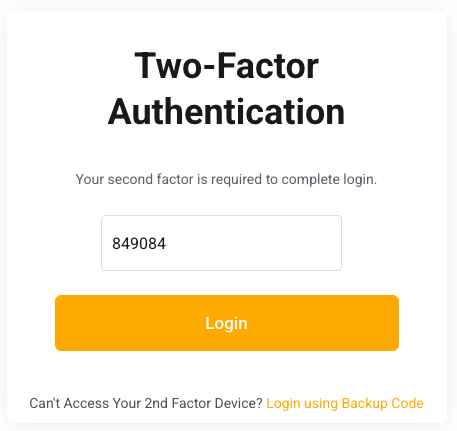
From now on, when you login with 2FA active, you will see these screens where you enter your username and password as usual, but then need to provide the code that is in your email, sms or time based token application.

If you have any questions or issues regarding 2FA, please contact us.